IPMHub Portal

One place to manage your infrastructure package distribution.

Find and evaluate packages your organization publishes or consumes. Manage users, groups, client secrets and audit every action from the same web console.
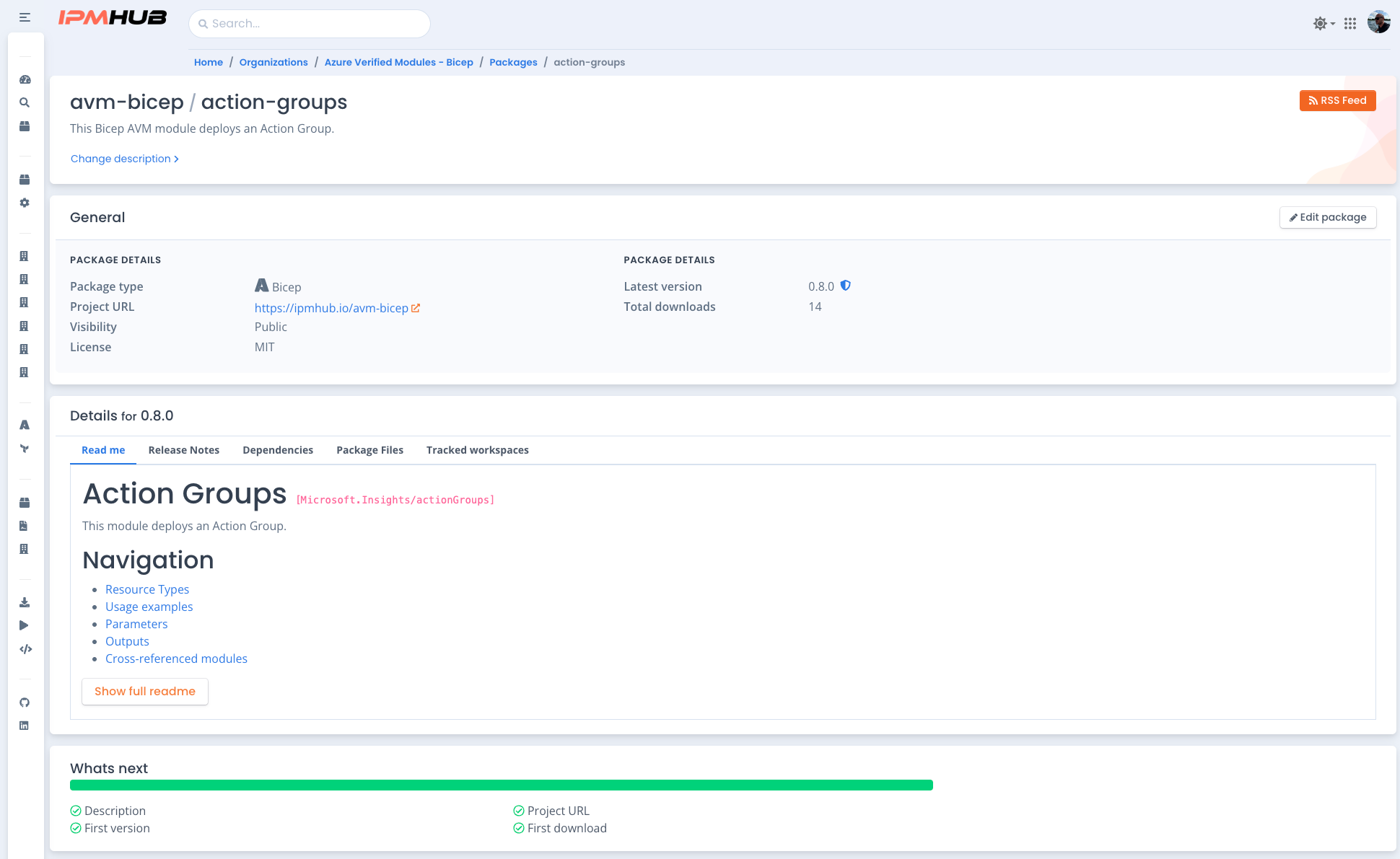
portal.ipmhub.io
IPMHub Portal package detail: versions, release notes and visibility
1 console
Packages, people, pipelines and audit
100%
Of published versions malware-scanned
Full
Audit trail of every action
Real-time
View of what is deployed where
The library and the control panel

One portal. Two jobs.

Most people who open the Portal are looking for a package. A smaller group is running the organization behind it. The Portal serves both from the same interface, without making either one wade through the other's tools.

For package consumers
Find what you need, fast

Search across your organization's packages and public packages. Check release notes and version history before you pull anything. Every result carries a visibility label and a scan status, so you know what you're looking at.

For organization admins
Run the organization, not just the packages

Manage who has access to what, issue credentials for pipelines, and see exactly what's deployed across every tracked workspace. Every administrative action is logged and reviewable.

Package Library

The central place to find and evaluate packages.

Browse packages published within your organization alongside public packages. Every package carries the context you need to decide whether to use it.

Search and filter
Search across your organization's packages and public packages. Filter down to the ones relevant to your stack.
Metadata, release notes, version history
Every package page shows full metadata, release notes per version, and the complete version history. Know what changed before you upgrade.
Public, private or hybrid visibility
Set package visibility to public, private, or hybrid to share specific versions with specific organizations. Visibility is enforced at the package level.
Malware scanning on every publish
Every package version is scanned natively when it's published, before it becomes available to anyone. No opt-in step, no separate tool.
Organization Management

Everything an admin needs, in one console.

Users, groups, credentials and settings, all managed from the Portal without touching a separate identity system.

Users and role-based access
Invite users and assign them a role. Access is enforced by role at every level of the platform.
Viewer Contributor Security Manager Owner
Groups with nested structure
Create groups and nest them. Permissions granted on a parent group are inherited by its subgroups, so access follows your org chart instead of fighting it.
Client secrets for pipelines
Issue and revoke client secrets for CI/CD and automated workflows. Valid up to 24 months, scoped to Viewer or Contributor. Works with GitHub Actions and Azure DevOps.
Organization settings
Edit organization-level settings from the same console you use to manage users and packages.
Tracked Workspaces

Know what's deployed, where, without asking.

Real-time visibility into every environment pulling packages from your organization. No more checking with the team that owns the environment.

Explore Tracked Workspaces →
01
Live package and version state per workspace
See exactly which packages and versions are active in each workspace, updated on every sync.
02
Revision history: who changed what, when
Every sync creates a revision. Trace a change back to the person and the moment it happened.
03
Status at a glance
Green means current. Warning means a newer version is available. No digging through logs to find drift.
04
Nested dependency visibility, 5 levels deep
See through nested package dependencies, not just the top-level package a workspace pulled directly.
Activity Log

A full audit trail, not a partial one.

Every administrative action, security event and system operation is logged. Filter the organization-wide log, or check the log scoped to a single resource.

Filter by category and severity
Category
Administrative Security Operation Identity System
Severity
Info Warning Error Critical
Resource-level logs

Filter by subject type and specific entity, or open the log directly from a package, workspace, group or client secret detail page to see just what happened there.

Access

Requires the Security Manager role or higher.

→ Full reference in the docs: docs.ipmhub.io/docs/organization/activity-log

Package Feed

Subscribe to release updates instead of checking for them.

Every organization gets a live feed URL. Scope one to a single package if that's all a subscriber needs.

Explore Package Feed →
✓
RSS or JSON, per organization or per package
✓
Release notes as HTML, Markdown or plain text
✓
Auto-translated release notes for MSPs with clients in different regions
✓
Integrates with Teams, Slack, Outlook or any RSS reader
Sandbox Organizations

Test changes without touching production.

A separate, isolated organization for trying things out. Full platform access, none of the risk.

Isolated by design
A separate organization with a -sandbox suffix, fully isolated from production.
Resets every 4 months
The sandbox resets automatically on a fixed schedule, so it stays a clean testing ground.
Can reference production packages
Pull production packages as nested dependencies to test against what's actually running.
No extra licenses
Your existing users can work in the sandbox without consuming additional user licenses.

Start managing your
infrastructure packages.

Open the Portal to search the library, manage your organization, or both.